
Documents Live, a web authoring and publishing system
Documents Live, a web authoring and publishing system
If you see this, something is wrong
First published on Thursday, Jan 9, 2025 and last modified on Thursday, Jan 9, 2025
Mathedu
Complex Number, Polygon
Your Spyder doesn’t draw necessarily the figure in an independent window, so that it may be saved on your device.
To do this, go to the ‘preferences’ in the ‘Python’ menu.

Then you select ‘Python Console’ in the left and then ‘Graphics’ upwoards.
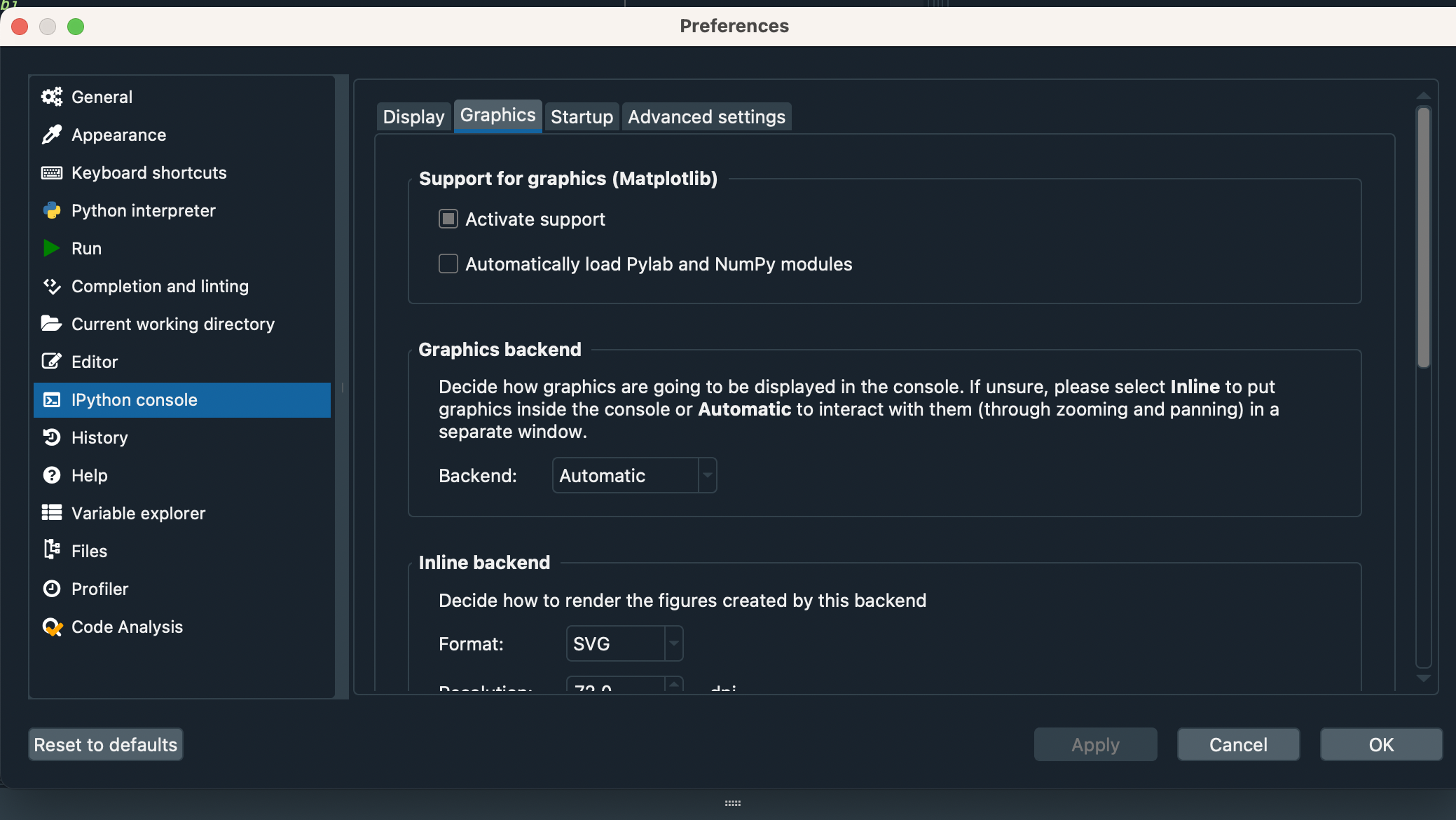
Then you check the pop-up menu ‘Backend’ to ‘Automatic’ and you save.
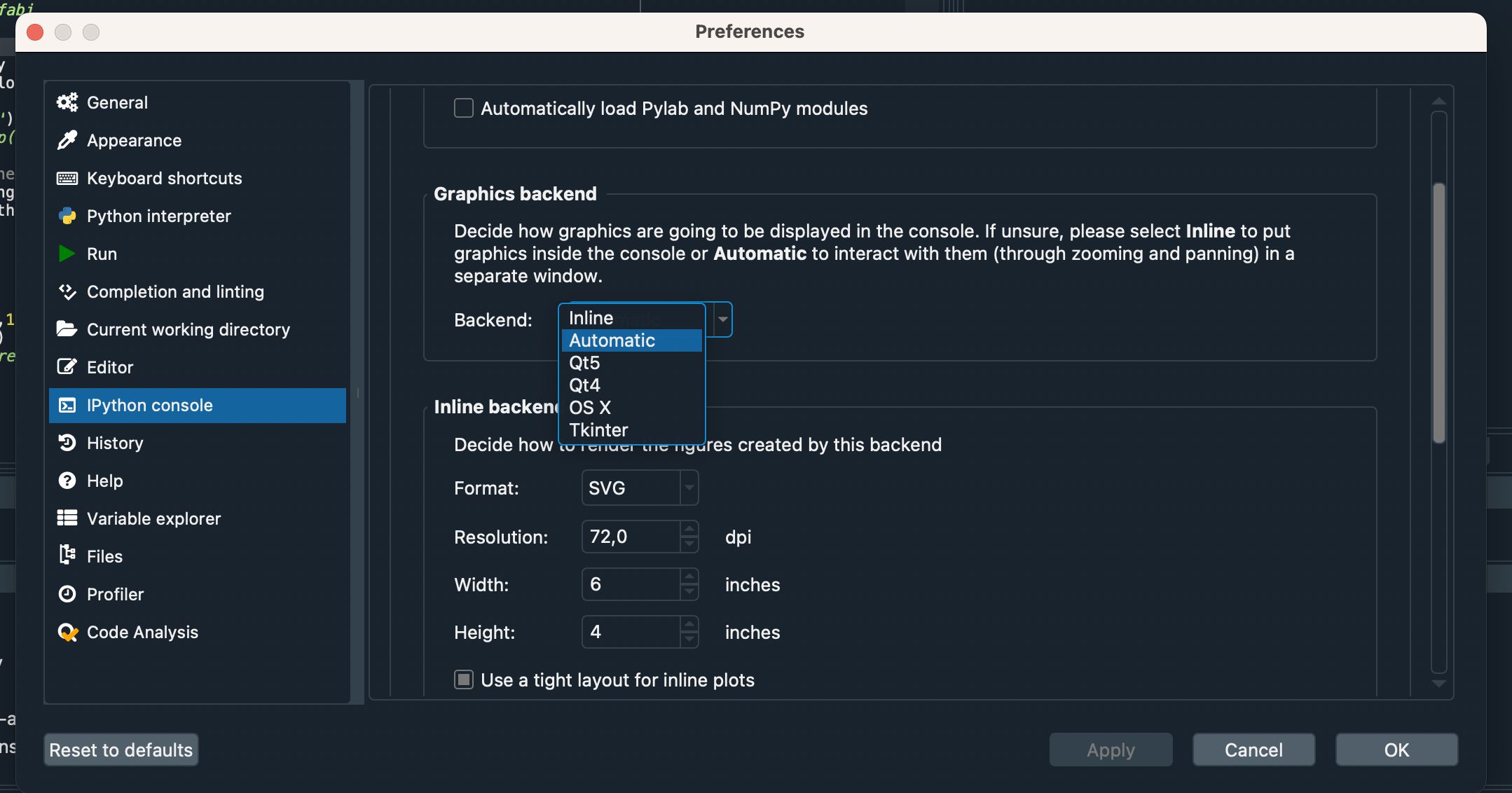
After all of it, you quit Spyder and relaunch it.
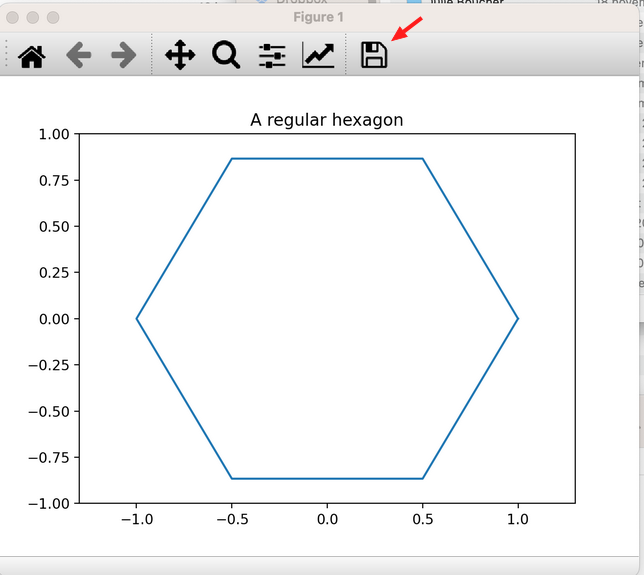
Here is the script to draw an hexagon.
from numpy import *
	from matplotlib.pyplot import *

	#Draw an hexagon
	theta=arange(0,7)*pi/3
	# real numbers from 0 to 6*pi/3=2*pi, by steps of pi\3=2*pi/6
	z=exp(1j*theta)
	x=real(z)
	y=imag(z)

	figure()
	plot(x,y)
	xlim(-1.3,1.3)
	ylim(-1,1)
	title('A regular hexagon')
Just copy and paste it in Spyder text editor, save it and run it.
Once you have the figure, save it by clicking on the floppy disk at the upper right corner.
Adapt the sript to draw a pentagon, with 5 sides instead of 6.
Please copy and paste in your answer the validated script.
Run it and save the figure you obtain, naming it ‘Pentagon.png’.
Copy and paste it in your answer.
To approximate a circle, dapt the sript to draw a polygon with 50 sides, to draw a pentagon.
Please copy and paste in your answer the validated script.
Run it and save the figure you obtain, naming it ‘Circle.png’.
Copy and paste it in your answer.